* Select CMO House Style: choosing an appropriate House Style according to the number of desired accidentals under Document Setup section of Quick start window (i.e. choosing _CMO Inst KS2\_215_ if two accidentals are needed).
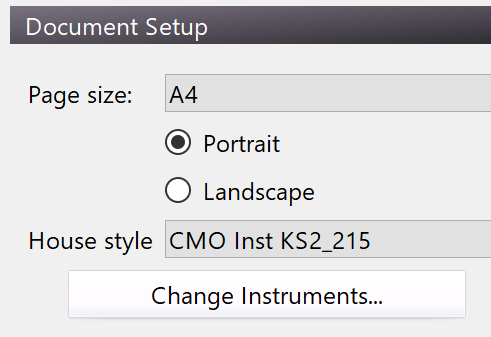 * Adding the desired CMO Instruments by clicking on _Change Instruments_ button.
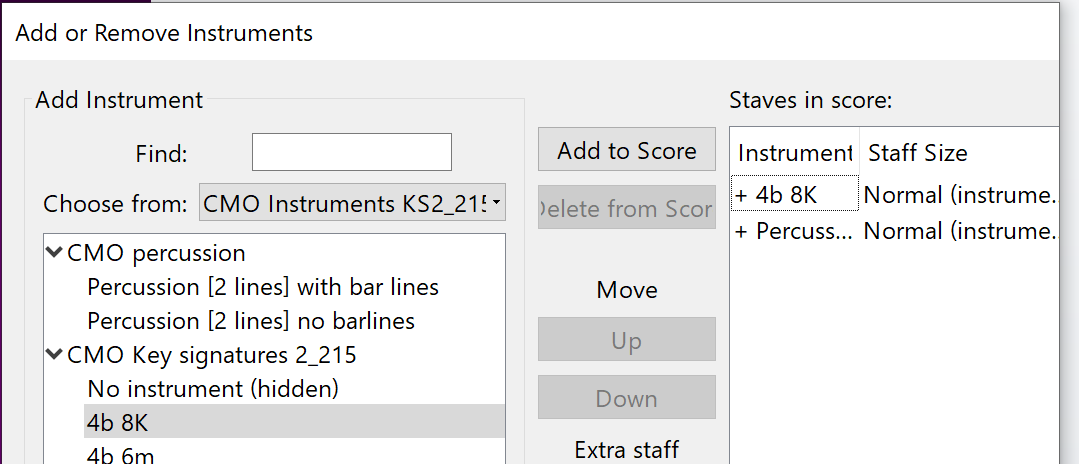
* Choose the desired key signature (i.e. 4b 8k for melodic line) for the melody staff and CMO Percussion staff either with bar lines or no barlines depending on the usûl divisions of the piece in _Add or Remove Instruments_ window (Percussion bar lines should appear under the CMO Key signatures).
* Adding the desired CMO Instruments by clicking on _Change Instruments_ button.
* Choose the desired key signature (i.e. 4b 8k for melodic line) for the melody staff and CMO Percussion staff either with bar lines or no barlines depending on the usûl divisions of the piece in _Add or Remove Instruments_ window (Percussion bar lines should appear under the CMO Key signatures).
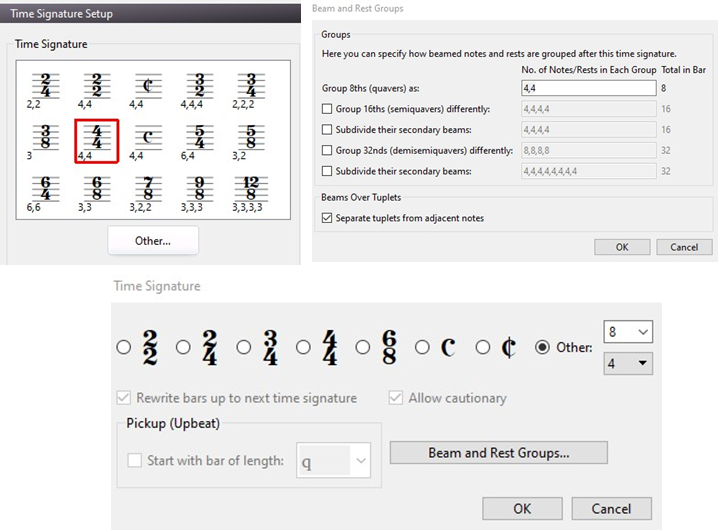
 * Time Signature Setup: Choose the desired time signature either directly from the signatures available or clicking on _Other_ and choosing the appropriate time value. Beam groups could be also set up if _Beam and Rest Groups_ is clicked.
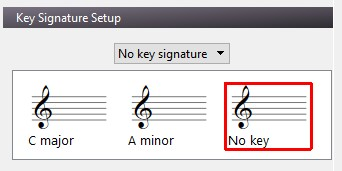
 * Click _No key signature_ from _Key Signature Setup_ tab and choose _No key._
 * Click the _Create_ button.